Module 4 - Expanding with NotebookLM Studio
Once your workflow is established, it’s time to expand. This module explores NotebookLM Studio capabilities beyond text, including audio, assessment tools, and interactive supports that extend your AI system into multimodal learning and training environments.
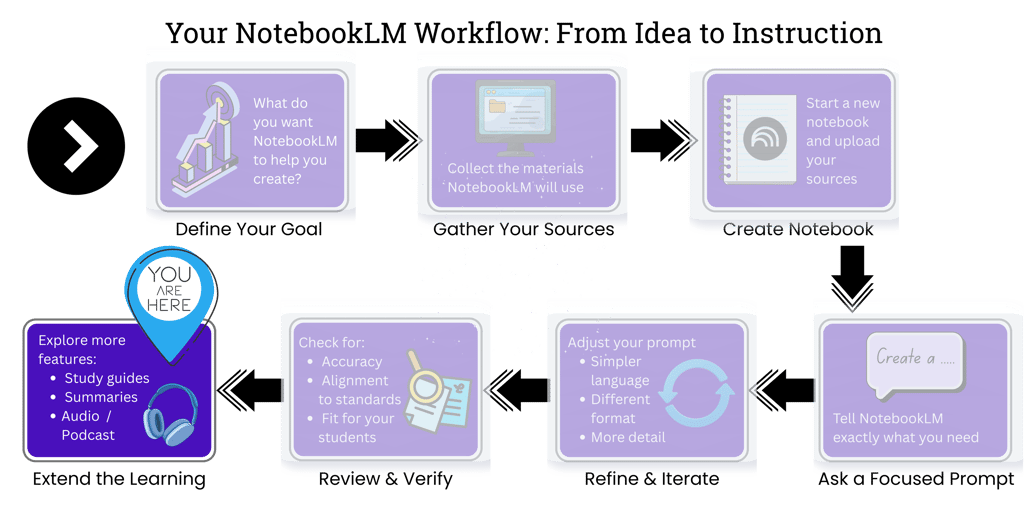
Where We Are in the NotebookLM Workflow
Before exploring Studio tools, let’s zoom out and reconnect to the full NotebookLM workflow.
In the previous modules, you built and used your notebook. Now we move into expanding what it can produce.
From Workspace to Studio


What Changes in Studio Mode?
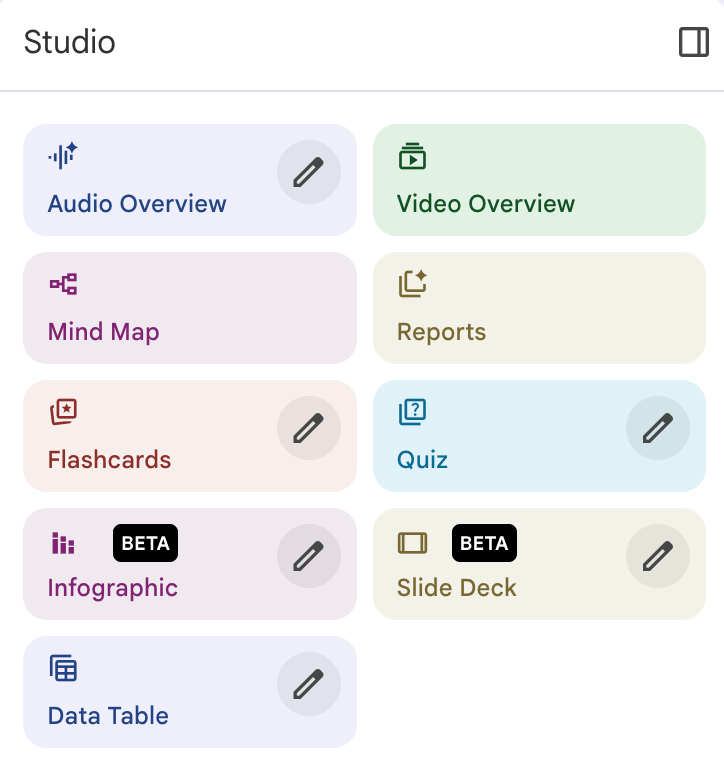
Audio overviews
Flashcards
Quizzes
Briefings & reports
Slides & videos
Structured assessment tools
Learner-facing resources
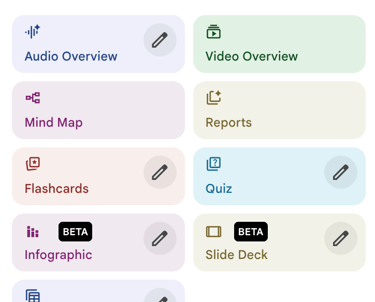
Pictured above: NotebookLM's Studio dashboard interface
A planning hub
A research organizer
A prompt refinement space
An alignment tool
A place to test and clarify thinking
A system for structuring
sourced content
Before Studio
Your Notebook functioned as a....
With Studio
Your Notebook can produce....
NotebookLM Studio is the production layer of NotebookLM. While the core notebook environment focuses on organizing, grounding, and refining information from your curated sources, Studio extends that work into learner-facing outputs.
Exploring NotebookLM Studio Tools: Video Demo

In this walkthrough, you’ll see how NotebookLM Studio can transform curated sources into structured learning materials. The examples come from a middle school textiles unit and demonstrate how Studio tools can generate audio explanations, quizzes, slides, and visual summaries.
These examples illustrate how NotebookLM can support instructional design by turning organized content into ready-to-use learning resources.
Completing the NotebookLM Workflow
You’ve now moved through the full NotebookLM workflow—from building a notebook and guiding AI responses with prompts to generating structured learning materials using Studio tools.


Course complete — thank you for learning with The AIdeas Lab.




Continue Exploring
Explore additional resources and examples of AI-supported learning design across The AIdeas Lab.